Motor Configuration
In order for the Reflex to control the motors, their characteristics when on the drone must be defined under Settings in the web interface.
Motors
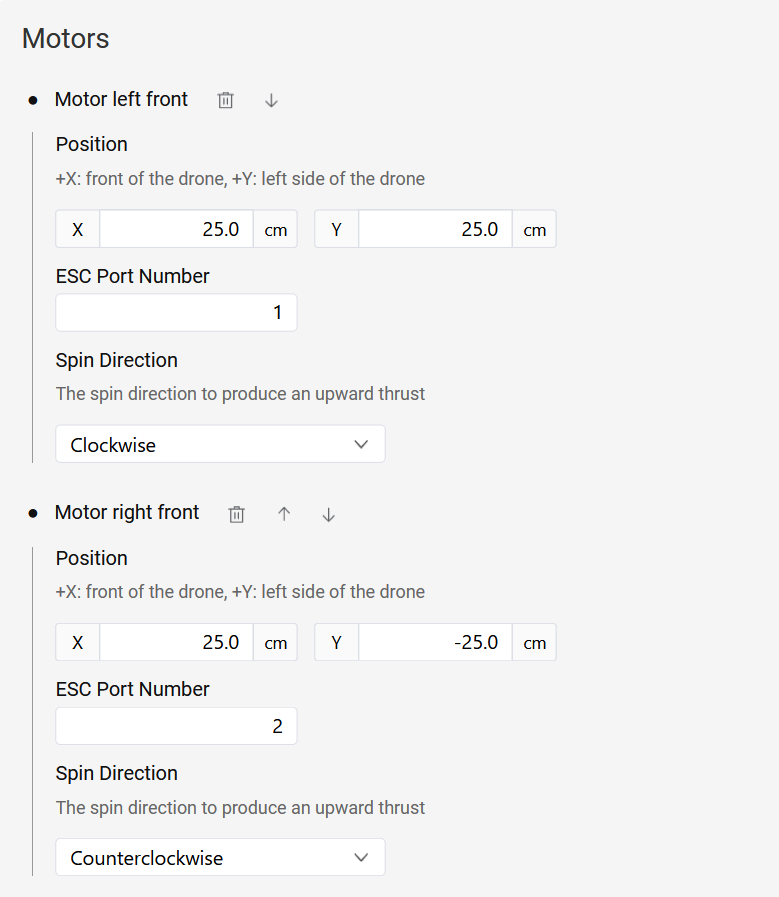
The position and rotation direction of all the motors on the drone can be configured in Settings. Motors can be added in the relevant settings page by navigating to it as demonstrated below:
Web Interface: Settings > Drone > Motors
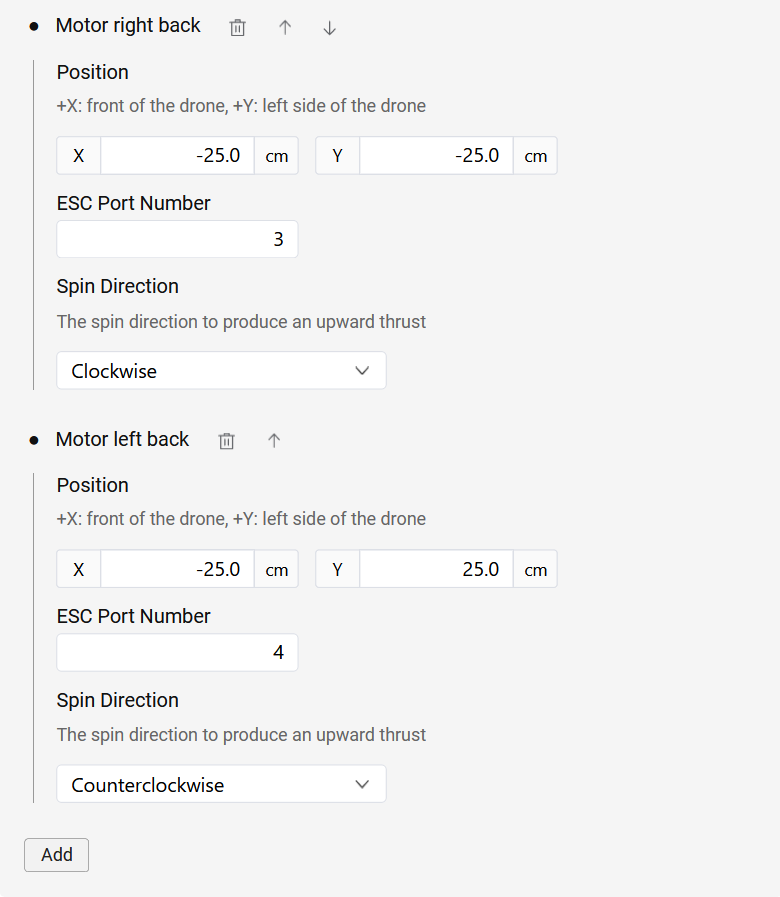
Click the Add button to add a motor, after which you can enter the motor's x and y positions in the Reflex's coordinate frame, along with its rotation direction. The figure of a quadcopter below provides an example for the manner in which the motors can be numbered and their positions in the given coordinate system.
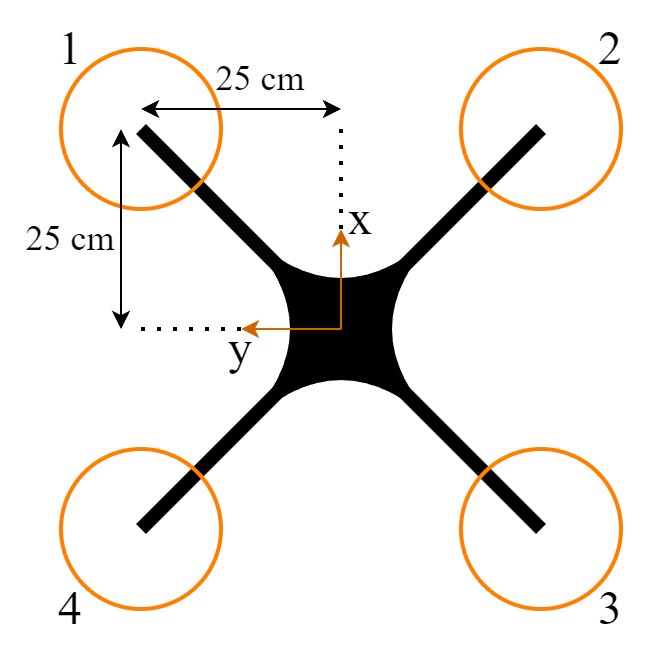
There is no specific order that needs to be followed when adding motors to the Reflex. Motor numbering starts at 1, and as many motors as necessary can be added to the settings by clicking the Add button. The Reflex currently supports drone frames with up to 16 motors.
The ESC port number should correspond to the pin number on the Reflex to which the ESC is connected (see Pinout Reference for the pin numbering). This configuration process is summarized in the images below.
ESC Protocol Configuration
The choice of ESC protocol can be configured in the following location:
Web Interface: Settings > Drone > Motor Controller > Protocol
The Reflex supports three ESC protocols, which are listed below.
Dshot
To configure DShot600 as the ESC protocol, Select the Dshot protocol in the settings.
Bidirectional Dshot
Bidirectional DShot enables the Reflex to receive motor RPM feedback. To configure the Bidirectional DShot settings, you need to specify the motor pole count. This value should be tailored to the specific motors being used, as it corresponds to the number of permanent magnets within the motor.
Motor Controller
The Motor Controller is responsible for tracking the desired RPM setpoint of each motor. This component is crucial for the functionality of the INDI control algorithm. The controller incorporates a Proportional-Integral (PI) controller and operates on each motor individually.
To begin the tuning process of this controller, it's essential to have RPM feedback through Bidirectional DShot enabled. You can initiate the tuning process using the default gains provided. Afterward, verify the tracking by analyzing RPM feedback and RPM setpoint information in the logs. If necessary, adjust the gains accordingly to optimize the performance of the Motor Controller and ensure precise RPM control for each motor.
PWM
To select PWM as the ESC protocol, please choose PWM in the settings. The user needs to specify the PWM frequency within the range of 50-490 Hz. Higher rates are generally better, but the value should depend on the maximum update rate supported by the ESCs.
The PWM ESCs require calibration so that the ESCs sync with the Reflex for low and high values. The procedure can be found in the PWM ESC Calibration page.